

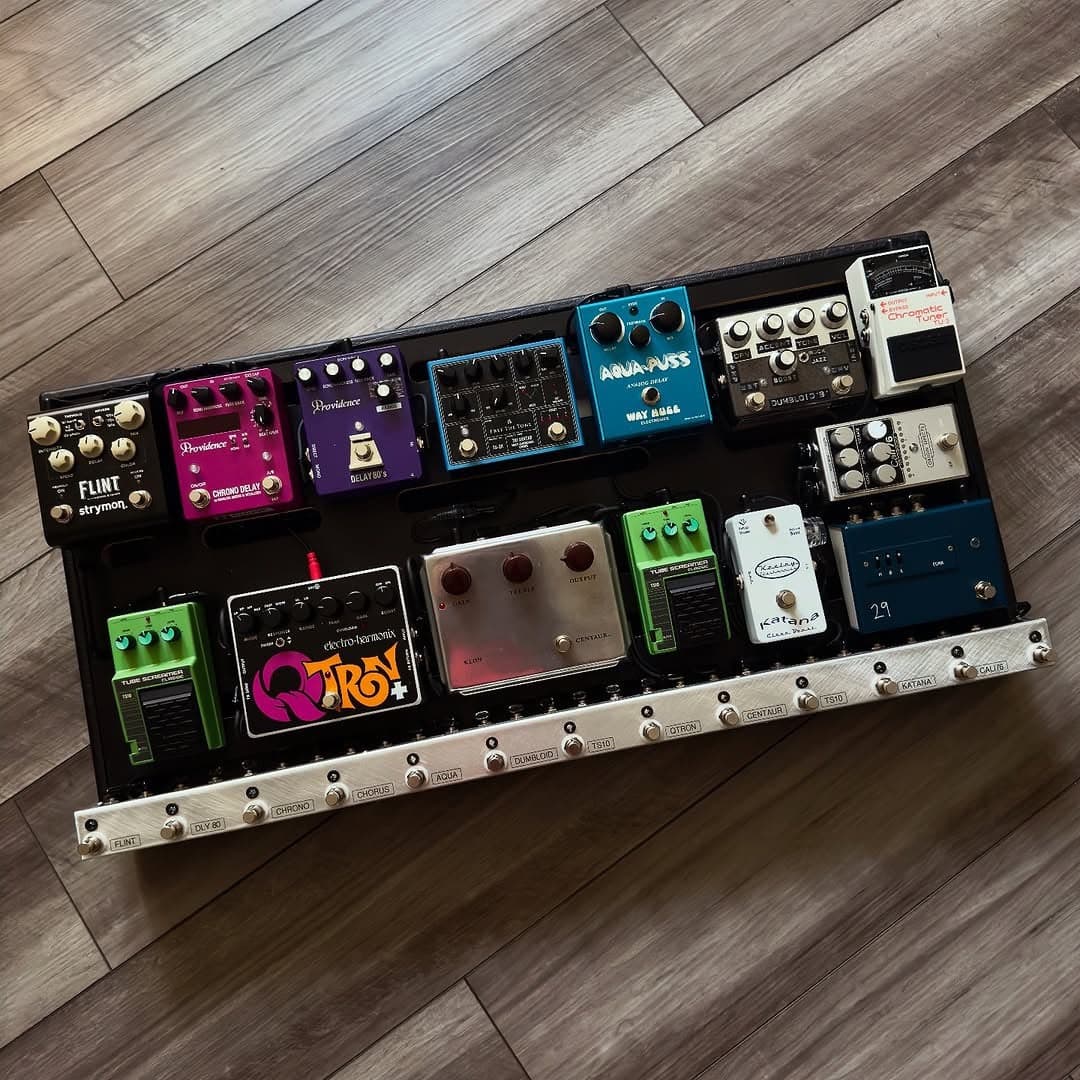
You've got a pile of pedals on the floor, a tangle of cables that would make an electrician cry, and a tone you know could be better. Sound familiar? Building a pedalboard isn't just about bolting pedals to a board — it's about designing a system that makes your rig sound better, set up faster, and survive the road.
I've built over 200 pedalboards in the last 17 years — for weekend players, touring professionals, and everyone in between. This guide covers everything I've learned about building a board that actually works.
Step 1: Choose the right pedalboard
The board itself matters more than most people think. You need something that fits your pedal count, your gig bag or case, and your playing situation.
Size it right. Count your pedals, then add room for one more — you'll fill it. A board that's too small means cramming pedals together, which creates noise and makes it impossible to hit one switch without stomping another. A board that's too big means extra weight you're hauling to every gig.
Material matters. Aluminum boards (like Pedaltrain) are light and work well with most mounting solutions. Steel boards are heavier but more rigid. Wood boards look great but can warp with humidity changes — not ideal if you're gigging in different climates.
Angled vs. flat. Angled boards (with a rise from front to back) make it easier to reach pedals in the back row. If you're running more than one row of pedals, go angled. Your feet will thank you mid-set.
Step 2: Plan your signal chain order
This is where most DIY builds go wrong. Pedal order isn't arbitrary — it changes your tone dramatically. Here's the general signal chain that works for 90% of setups:
Guitar → Tuner → Filters/Wah → Compressor → Overdrive/Distortion → Modulation → Delay → Reverb → Amp
Why this order? Each pedal processes the signal that comes before it. Put your delay before your overdrive and you're distorting the repeats — which sounds like mush. Put your compressor after your drive and you're squashing your dynamics instead of evening them out before the gain stage.
That said, rules are made to be broken. Some players run reverb into fuzz for shoegaze textures. Some put the compressor after drive for sustain. The "right" order is whatever sounds good to you — but start with the conventional chain and experiment from there.
If you're running an effects loop, your time-based effects (delay, reverb) usually go in the loop, while your gain and filter pedals stay in front of the amp.
Step 3: Get your cables right
Cables are the circulatory system of your board. Bad cables mean noise, signal loss, and reliability problems that'll ruin a gig. This is the single biggest mistake I see on DIY boards — cheap cables that introduce hum, crackle, or just eat your high end.
Patch cables connect pedal to pedal. You want low-capacitance cable with quality connectors — soldered, not crimped. I use Mogami 2314 on every build because the signal quality is measurably better than generic patch cables, and they're built to last decades.
Cable length matters. Shorter patch cables mean less signal loss and less noise pickup. Measure your actual distances and cut to fit rather than using whatever length came in the bag. A 6-inch cable run doesn't need a 12-inch patch cable flopping around underneath.
Instrument cables (guitar to board, board to amp) are just as important. A 20-foot run of cheap cable can roll off enough high end to make your rig sound dull. Invest in quality here — Mogami 2524 is what we use and recommend.
Step 4: Power supply — don't cheap out
A proper isolated power supply eliminates ground loops and the hum that comes with them. Daisy-chaining pedals off a single adapter is the number one cause of noise on pedalboards. Each pedal gets its own isolated output — no shared ground, no noise.
Check your current draw. Every pedal has a current requirement (measured in milliamps). Add them up and make sure your power supply can handle the total with headroom to spare. Digital pedals (Strymon, Boss DD-500, etc.) draw significantly more than analog pedals.
Voltage matters too. Most pedals run on 9V, but some need 12V or 18V. Running a 9V pedal on 18V can damage it. Running an 18V pedal on 9V means it won't perform properly. Check every pedal's specs before wiring power.
Mount it underneath. The power supply goes under the board, not on top. It frees up real estate for pedals and keeps the power cables separated from your audio cables — which reduces noise.
Step 5: Cable management and routing
This is what separates a pro build from a mess. Clean cable management isn't just cosmetic — it reduces noise, makes troubleshooting easier, and prevents cables from getting snagged or damaged.
Route audio and power separately. Run your audio cables on one side of the board and power cables on the other. When audio and power cables cross, do it at 90-degree angles to minimize electromagnetic interference.
Use cable ties, not tape. Gaffer tape leaves residue and loosens over time. Reusable cable ties (with a bit of slack for servicing) keep everything locked down without the mess.
Label your cables. When something goes wrong at 11 PM during a gig, you don't want to trace every cable. A piece of tape with a number on each end of every cable saves you in those moments.
Leave service loops. Don't pull cables drum-tight. Leave a small loop at each connection point so you can remove a pedal for servicing without rewiring the entire board.
Step 6: Secure your pedals
Professional-grade mounting tape is the standard for a reason. It holds pedals firmly but lets you rearrange when you want to swap something out. Apply it to the bottom of each pedal and to the board surface.
Clean both surfaces with rubbing alcohol before applying. Dirt and oil are why mounting tape "stops working" — it's not the tape, it's the prep.
For heavier pedals (large multi-effects, wahs), consider using additional securing methods through the board rails. A heavy pedal with just mounting tape can shift over time, especially in a road case getting bounced around in a trailer.
Step 7: Test everything before you close it up
Before you lock everything down and call it done, test the full signal chain. Turn on every pedal one at a time and listen for:
- Hum or buzz — usually a power issue or a ground loop
- Signal loss — check cable connections, especially at the jacks
- Tone suck — too many buffered bypasses in a row can change your clean tone
- Switching noise — pops when engaging/disengaging pedals usually mean a cable issue
Play through the board for at least 15 minutes with your actual amp and guitar. Issues that don't show up in the first 30 seconds will reveal themselves over a longer session — intermittent connections, thermal noise from power supplies warming up, etc.
When to call a pro
Building your own board is rewarding, but there's a point where the complexity outweighs the DIY savings. If you're running more than 8-10 pedals, using an effects loop switcher, or need your board road-ready for touring — that's when a professional build pays for itself.
A pro build means hand-soldered cables cut to exact length, proper power distribution, noise-free cable routing, and a board that won't let you down three songs into a set. It's the difference between a board you built and a board you can trust.
We've built over 500 rigs at The Rig Doctor, and every build comes with lifetime support and free repairs. If you're thinking about a custom build, book a free consultation and let's talk about your rig.